Every AI tool wants you to upload your documents to their cloud. Your invoices, your contracts, your medical records - all sent to some server you don’t control.
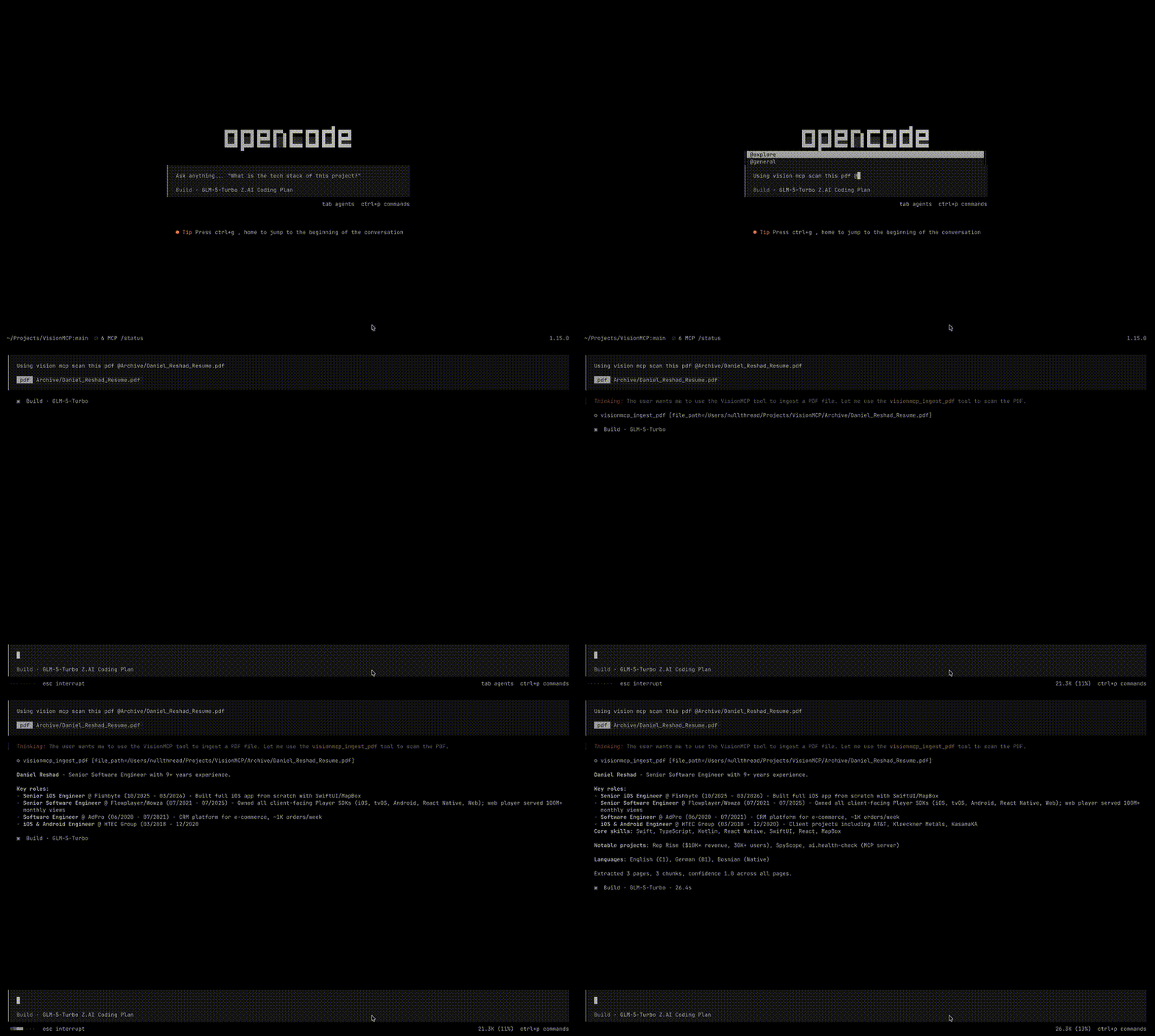
Today I’m releasing VisionMCP, a standalone MCP server that extracts text from PDFs and images using Apple’s Vision Framework. No cloud, no API keys, no data leaves your machine.
Why I Built This
The problem is straightforward. You have documents - PDFs, screenshots, scanned images - and you need the text out of them to feed into your AI tools. The existing options all have tradeoffs:
- Cloud OCR APIs (Google Vision, Textract) - great accuracy, but you’re sending files to someone else’s server. For contracts or financial documents, that’s a non-starter.
- Tesseract - open source and local, but painful to set up and rough on mixed layouts.
- macOS native PDF extraction - works if the PDF has a text layer. Scanned documents? Screenshots? Nothing.
I wanted something that runs entirely on my Mac, handles both PDFs and images, understands document layout, and plugs directly into my AI tools.
How It Works
VisionMCP exposes two tools via the Model Context Protocol:
- ingest_pdf - renders PDF pages to images via PDFKit, then runs
RecognizeDocumentsRequest(macOS 26 Vision API) for structured document OCR. Extracts text, tables, lists, and paragraphs. - ingest_image - loads images via
CGImageSource, then runsVNRecognizeTextRequestfor text OCR. Supports PNG, JPEG, TIFF, BMP, GIF, HEIC, and WebP.
Both paths produce extracted text, confidence scores, and automatic text chunking with configurable overlap - ready to drop into an AI context window.
The architecture is intentionally simple. Two independent parsers, each producing structured results. No shared protocol, no factory, no abstraction layers:
VisionMCP
├── PDFParser        # Renders pages, runs RecognizeDocumentsRequest
├── ImageParser      # Loads images, runs VNRecognizeTextRequest
├── TextChunker      # Splits text into overlapping token-limited chunks
├── IngestService    # Orchestrates parsing + chunking
└── IngestTools      # MCP tool definitions + handlers
The server communicates over stdio using the MCP protocol. No HTTP server, no port to manage. Your AI tool spawns it, talks to it, and that’s the integration.
Privacy First
VisionMCP is read-only. It extracts and returns data with no persistence or database. Your documents are processed by Apple’s on-device Vision Framework and the text goes straight into your AI tool’s context. Nothing is stored, nothing is sent anywhere.
Get Started
Requirements: macOS 26 (Tahoe) or later, Xcode 26 beta or later, Swift 6.3+.
git clone https://codeberg.org/breakzero/vision.mcp.git
cd vision.mcp
swift build -c release
sudo ln -sf $(pwd)/.build/release/VisionMCP /usr/local/bin/visionmcp
Then add it to your MCP config:
{
  "mcp": {
    "visionmcp": {
      "type": "local",
      "command": ["/usr/local/bin/visionmcp"],
      "enabled": true
    }
  }
}
VisionMCP is open source under MIT. Check it out on Codeberg or GitHub.
Break Zero